Getting Started with SnapSite
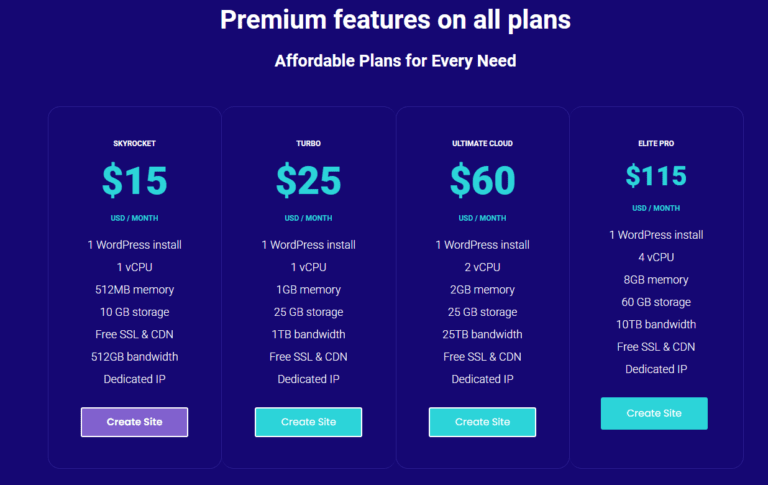
Step 1: Select a Hosting Package
Choose the hosting package that best suits your needs. SnapSite offers secure, reliable, and scalable hosting solutions to ensure your website performs optimally.
Step 2: Choose Your Website Design
- Use our AI Website Builder for a fast, automated setup.
- Select from hundreds of pre-designed templates to quickly create a professional-looking website.
- Or, if you prefer full creative control, build a brand-new site from scratch.
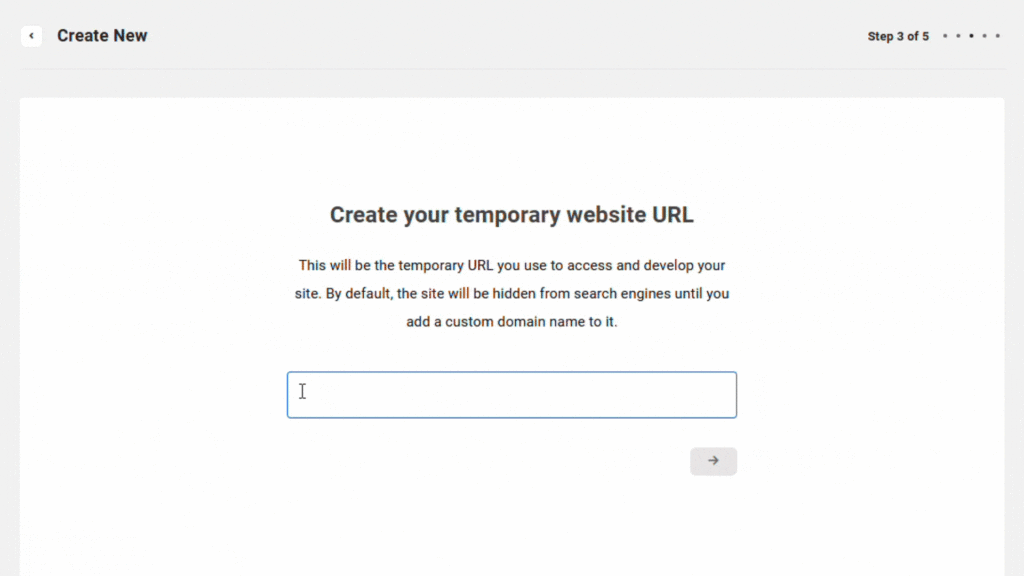
Step 3: Set Up a Temporary URL
Create a temporary URL, from there you can edit your website until you are ready to go live. Create a temporary URL where you can edit and preview your website before going live. This allows you to fine-tune the design, content, and functionality without affecting your final domain.
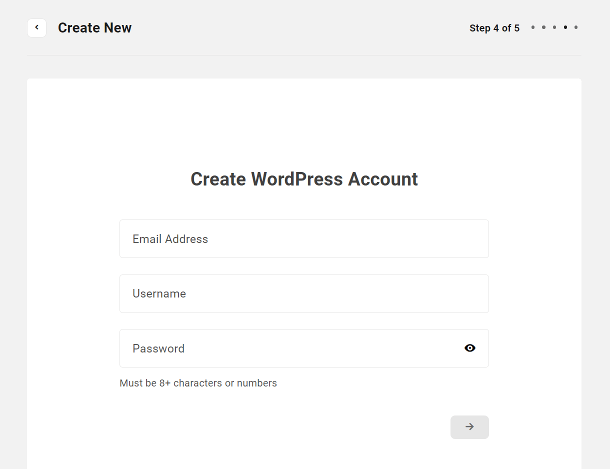
Step 4 - Create Website Account
Create a temporary URL, from there you can edit your website until you are ready to go live.
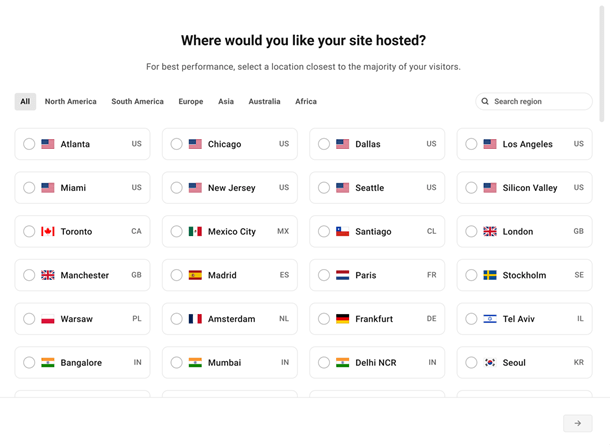
Step 5 - Choose Server
Create a temporary URL, from there you can edit your website until you are ready to go live.
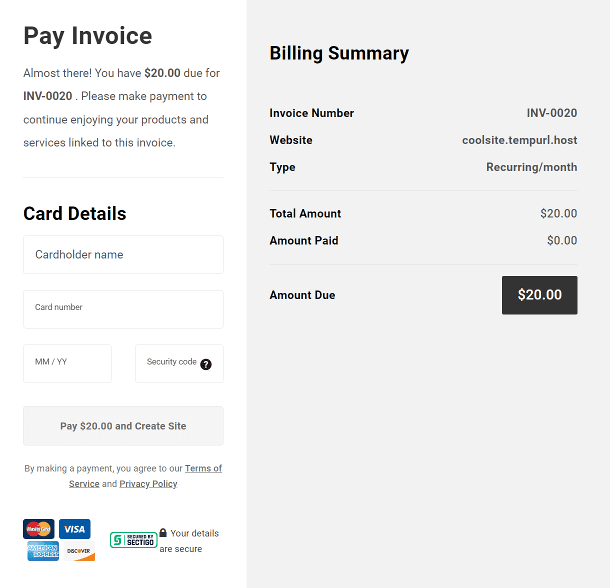
Step 6 - Payment
Create a temporary URL, from there you can edit your website until you are ready to go live.
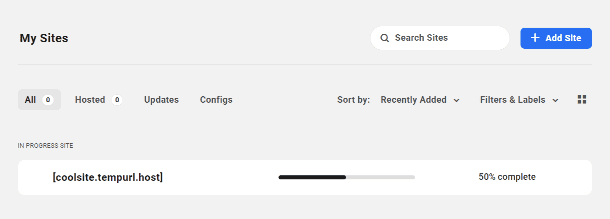
Step 7 - Site Creation
You will be redirected to the Sites screen in your branded Hub where they’ll see the site creation in progress.
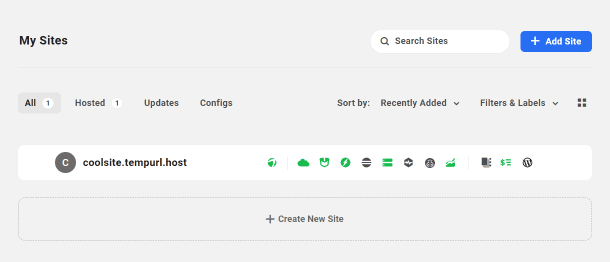
Step 8 - Site Built
Once complete, the screen will refresh automatically and see your new site will be accessible in their Hub account.