

How Much Does It Cost to Build a Government Website? (2026 Pricing Guide)
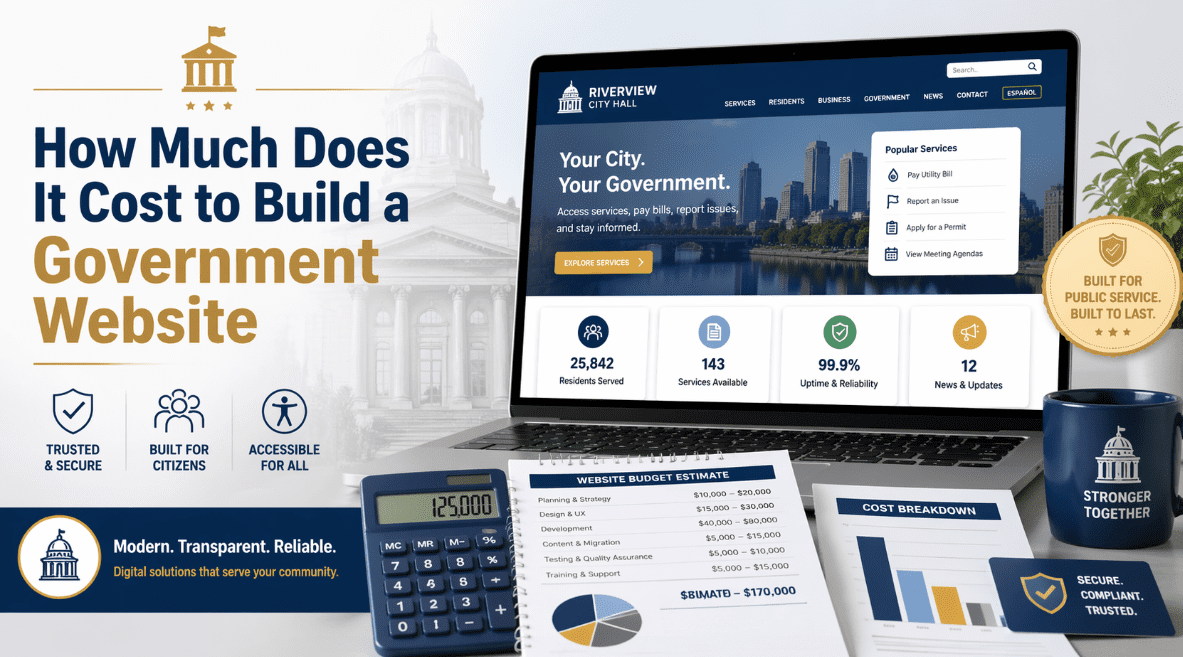
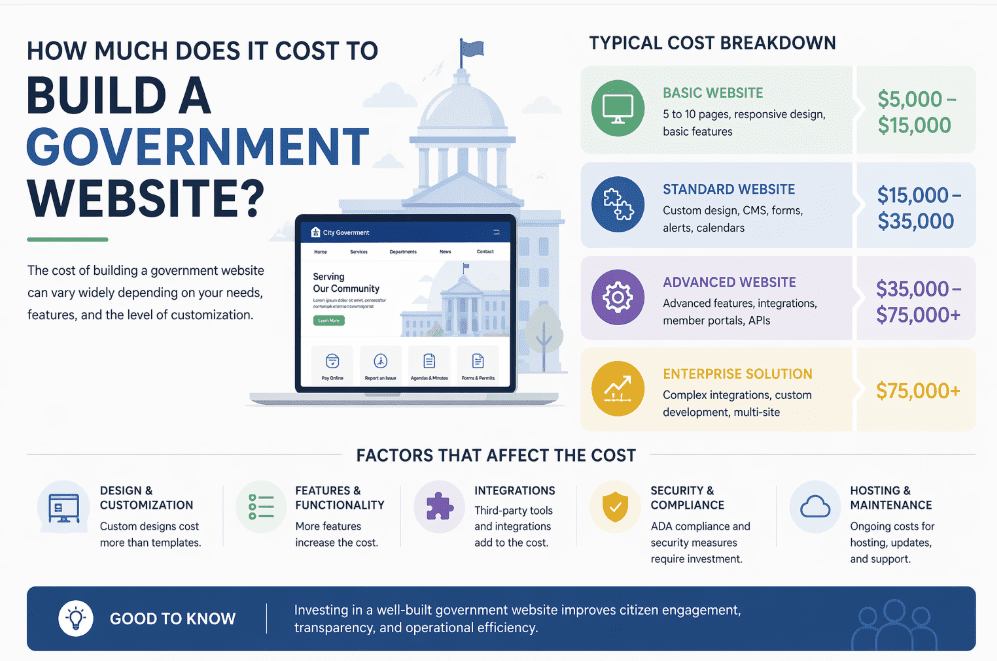
If your city council, village board, or county commission has asked the question, "How much does it cost to build a government website?", you are not alone — and the honest answer is: anywhere from $5,000 to well over $1 million.
That is an enormous range, and the reason is simple. A government website is not a brochure. It is digital infrastructure. It has to serve residents, handle public records, meet ADA Title II accessibility law, resist cyberattacks, and stay online when a storm hits or a budget vote goes viral. The price tag depends on which of those jobs you actually need it to do.
This guide breaks down real 2026 government website pricing by entity size, the features driving those costs, the ADA compliance deadline most municipalities still have not prepared for, and the WordPress-based approach SnapSite uses to help small and mid-sized agencies cut their total build cost by 60% or more without cutting corners.
Government Website Cost at a Glance (2026)
| Entity Type | Population Served | Typical Build Cost | Annual Maintenance |
|---|---|---|---|
| Village / Township | Under 5,000 | $5,000 – $15,000 | $1,000 – $3,000 |
| Small City / Health District | 5,000 – 25,000 | $15,000 – $40,000 | $3,000 – $8,000 |
| Mid-Sized City | 25,000 – 100,000 | $40,000 – $125,000 | $8,000 – $25,000 |
| County Government | 50,000 – 500,000 | $100,000 – $300,000 | $20,000 – $60,000 |
| State Agency | Statewide | $250,000 – $750,000 | $50,000 – $150,000 |
| Federal Agency | National | $500,000 – $1M+ | $100,000+ |
Industry data supports this spread. One 2026 analysis of government agency websites found costs range from $25,000 to over $1 million, with annual maintenance typically running 15% of the initial build. Another recent Ontario municipal example shows the scale problem clearly: the town of Meaford gave pre-budget approval of $215,000 just to migrate its existing website to a new platform, with base vendor quotes between $76,000 and $100,000 before any redesign work was added.
In other words: for most agencies, the build itself is only half the conversation. The real question is what are you paying for?
What Actually Drives the Cost of a Government Website?
Two cities with identical populations can end up with wildly different price tags. Here is why.
1. Content Management System (CMS) Choice
This is the single biggest cost driver.
- Proprietary "government-only" platforms (Granicus, CivicPlus, Revize): Build fees start around $15,000 and climb past $100,000. Expect recurring license fees of $3,000–$15,000 per year, forever. You do not own the platform.
- Open-source (WordPress, Drupal): No license fees. Full ownership of your site and data. Build costs are often 50–70% lower for comparable functionality.
- Custom-built CMS: Avoid it. Custom government CMS systems are brutally expensive to maintain and secure long-term, and the talent to support them disappears the moment your original developer retires.
For roughly 95% of municipalities, an open-source CMS like WordPress delivers everything a proprietary platform does — agendas and minutes, FOIA portals, permits, calendars, transparency pages, payment integration — at a fraction of the total cost of ownership.
2. ADA Compliance (Non-Negotiable in 2026)
This is no longer optional. The U.S. Department of Justice's 2024 final rule under Title II of the ADA requires every state and local government website to meet WCAG 2.1 Level AA standards. The deadlines are here now:
- April 24, 2026 — Entities serving populations of 50,000 or more
- April 26, 2027 — Entities serving populations under 50,000 and special district governments
Non-compliance carries real consequences: federal civil penalties of up to $75,000 for a first violation and $150,000 for subsequent violations, plus private lawsuits and state-law damages. And the baseline problem is staggering — audits have found government websites average 307 accessibility violations per page.
The cost impact:
- Baseline ADA audit: $1,500–$5,000
- Remediation of an existing site: $5,000–$50,000+ depending on size
- Building ADA-compliant from day one (strongly recommended): adds roughly 10–15% to the build cost, not 40% like after-the-fact remediation
3. Required Functionality
Every feature you add has a cost. Common municipal features and their typical development ranges:
| Feature | Cost Range |
|---|---|
| Agenda & minutes management | $2,000 – $8,000 |
| FOIA / public records request portal | $1,500 – $6,000 |
| Online permits & licensing | $3,000 – $15,000 |
| Online utility / tax payments | $2,000 – $10,000 (plus processor fees) |
| Municipal calendar with subscriptions | $1,000 – $4,000 |
| Non-emergency service requests (311) | $2,500 – $10,000 |
| Election & candidate portal | $1,500 – $5,000 |
| Staff / department directory | $500 – $2,000 |
| Board & commission management | $1,500 – $5,000 |
| Emergency alerts / notification system | $2,000 – $8,000 |
A village may only need four or five of these. A county may need all of them plus custom integrations.
4. Hosting and Security Infrastructure
Government sites cannot go offline during an emergency. That requirement drives the hosting bill:
- Small town or village: $50–$200/month for managed WordPress hosting with backups and SSL
- Mid-sized city: $200–$1,000/month for load-balanced hosting with CDN and WAF
- County / state: $1,000–$10,000/month, often on AWS GovCloud or Azure Government
- Federal: $20,000+/month with FedRAMP-authorized infrastructure
Add security hardening on top of that: geo-blocking, vulnerability scanning, malware monitoring, brute-force protection, and regular patching. Budget $1,000–$5,000 annually for small-to-mid sites, more for larger ones.
5. Timeline
The longer the project, the more it costs. 2026 benchmarks:
- Small municipal site: 3–5 months
- Mid-sized city: 6–10 months
- County / state portal: 12–24 months
Rushed timelines (under 60 days) typically add a 20–30% premium. Long timelines with scope creep — the single biggest killer of government web budgets — can double costs.
Cost Breakdown by Agency Size
Villages, Townships & Small Health Districts (under 5,000 served)
Realistic budget: $5,000 – $15,000 build, $1,000 – $3,000/year maintenance.
A small village rarely needs a bespoke enterprise build. What it needs: a clean, ADA-compliant site with agendas & minutes, a calendar, a staff directory, a FOIA contact form, and emergency alerts. WordPress-based municipal platforms deliver every one of those features without the five-figure price tag, and the village owns its site at the end of it.
Small and Mid-Sized Cities (5,000–100,000)
Realistic budget: $15,000 – $125,000.
At this scale, online services start to matter. Residents expect to pay a water bill, pull a building permit, register for a parks program, and submit a 311 request without calling city hall. Integrations with payment processors, GIS systems, and existing financial software drive cost.
Counties and Special Districts
Realistic budget: $100,000 – $300,000.
County sites carry more weight — elections, property records, public health, courts, jail rosters, and multiple department subsites. Multi-site WordPress networks or Drupal multi-site can handle this elegantly. Avoid proprietary platforms here unless the county has permanent budget for six-figure annual renewals.
State and Federal Agencies
Realistic budget: $250,000 – $1,000,000+.
Regulatory compliance (FedRAMP, StateRAMP, FISMA), scale testing for millions of users, multilingual support, and integrations with legacy mainframe systems justify the price. This is where the enterprise platforms earn their keep.
The Hidden Costs No One Warns You About
Before approving a bid, ask specifically about these:
- Content migration. Moving 300+ existing pages into a new CMS often costs $3,000–$15,000 extra and is rarely in the base bid.
- Staff training. Two hours is not enough. Budget for 8–16 hours of CMS training at $100–$200/hour.
- Plugin and module licensing. Some "free" CMS builds depend on premium plugins with $500–$2,000/year license fees.
- PDF remediation. If your site has 500 PDFs (typical for a county), making each one ADA-compliant runs $15–$75 per document — that is $7,500 to $37,500 on its own.
- Annual security audits. Not optional for government. $1,500–$10,000 per year.
- Redesign cycles. Historically every 5–7 years. In 2026, continuous improvement is replacing full rebuilds — but only if your CMS and vendor support it.
How to Reduce Your Government Website Cost (Without Cutting Corners)
You can legitimately build a professional, ADA-compliant, secure government website for 40–70% less than a proprietary vendor will quote. Here is how.
1. Choose WordPress Over Proprietary Platforms
WordPress powers more than 40% of all websites worldwide, has mature accessibility tooling, and an open ecosystem of developers — meaning you are never locked in to a single vendor. Compare the five-year total cost of ownership, not just the initial quote:
| Platform Type | 5-Year Cost (Mid-Sized City) |
|---|---|
| Proprietary government CMS | $150,000 – $300,000 |
| WordPress with specialized municipal plugins | $45,000 – $90,000 |
2. Buy Purpose-Built Municipal Plugins Instead of Custom Development
Custom development at $125–$250/hour adds up fast. Pre-built WordPress plugins designed specifically for municipalities — agendas and minutes, FOIA portals, municipal calendars, transparency portals, permits and licensing, accessibility scanners — deliver the same functionality for a one-time cost of $50–$500 each rather than $5,000–$15,000 of custom work per feature.
3. Use Veteran-Owned and Small Business Contracting Preferences
Many municipalities, counties, and state agencies have set-aside contracting preferences for Service-Disabled Veteran-Owned Small Businesses (SDVOSB) and small businesses. These preferences can make qualified vendors 15–25% cheaper on paper while simultaneously meeting procurement goals.
4. Phase the Rollout
Launch the "service hub" first — agendas, minutes, calendar, FOIA, emergency alerts, ADA compliance. Roll out secondary features (department blogs, history pages, recreation registration) in fiscal-year Phase 2. This spreads cost across budget cycles and lets you learn from early resident feedback.
5. Leverage Shared Services
Smaller municipalities can share hosting infrastructure or sub-license the same platform the county uses, dramatically reducing per-agency overhead.
How SnapSite Helps Municipalities Lower Website Costs
SnapSite was built from the ground up to solve exactly the problem this article describes: small and mid-sized municipalities being quoted proprietary-platform prices for capability they could deliver far more affordably on WordPress. As a Service-Disabled Veteran-Owned Small Business (SDVOSB) focused exclusively on civic technology, SnapSite applies the same discipline to budgets that its founders applied to Air Force operations: clear mission, efficient execution, no wasted spend.
Here is how SnapSite reduces the total cost of a government website — point by point.
1. No Proprietary License Fees, Ever
Every SnapSite site is built on WordPress — open-source, industry-standard, owned by your municipality. There is no $3,000–$15,000 annual "platform license" renewal. That savings alone can exceed $75,000 over ten years compared to a typical proprietary municipal CMS.
2. A Full Municipal Plugin Suite Is Included
Instead of paying $5,000–$15,000 for each custom feature, SnapSite includes a purpose-built library of municipal WordPress plugins:
- Agenda & Minutes Manager with ADA-compliant output
- CivicDocs Pro transparency portal
- Municipal Calendar with iCal feeds and subscriber alerts
- FOIA Request Manager
- Municipal Permits & Licensing
- Smart311 citizen service requests
- Emergency alerts and notification system
- Food Inspection Manager for health departments
- Snap Accessibility scanner & auto-fixer for ongoing WCAG compliance
- Security Audit Pro for vulnerability scanning and geo-blocking
These are not generic plugins. They were designed specifically for how cities, villages, townships, counties, and health departments actually operate — by a team that has written RFPs from the other side of the desk.
3. ADA Compliance Built In From Day One
Every SnapSite build meets WCAG 2.1 Level AA out of the box. That is not a marketing claim — it is enforced by the Snap Accessibility plugin that runs continuous scans on your live site and flags violations before they become lawsuits. Municipalities that retrofit accessibility after launch typically pay 10–30 times more than those who build it in from the start.
4. SDVOSB Set-Aside Eligibility
SnapSite's SDVOSB status qualifies the company for federal, state, and many local government set-aside contracts. For municipalities with procurement goals to meet, awarding a contract to a qualified veteran-owned small business is often the fastest and simplest procurement path — and the unit cost is typically lower than the proprietary alternative.
5. Flat, Transparent Pricing
No per-resident fees. No "premium module" upcharges. No surprise renewal spikes. SnapSite publishes its monthly plans openly, and a clerk can read and understand the invoice without a finance degree.
6. You Own Everything
Your domain, your content, your database, your WordPress installation — all of it stays with the municipality. If for any reason SnapSite is no longer the right fit, every file and every byte of data hands off cleanly to the next developer. No platform lock-in. No ransom for your own data.
7. Weeks to Launch, Not Months
Because the plugin ecosystem is pre-built and the design system is templated for WCAG compliance and speed, a standard SnapSite municipal site goes live in 2–6 weeks, not the 3–5 months the industry considers "fast." Shorter timelines mean lower labor costs and faster resident impact.
8. Security Hardened by Default
Every site ships with geo-blocking against high-risk regions, brute-force protection, malware scanning, automatic security patching, SSL, daily backups, and a web application firewall. No upgrade required. No separate vendor needed.
9. Continuous Improvement Instead of 5-Year Rebuilds
The traditional municipal website cycle — spend $200,000 every 5–7 years to rebuild from scratch — is obsolete. SnapSite's continuous-improvement model adds features, refreshes design, and updates compliance on an ongoing basis, extending the useful life of your site to 10+ years and eliminating the shock of a full rebuild budget.
10. Built by People Who Have Served Your Residents
SnapSite's founder is a former elected official (County Executive and City Council Member), Air Force veteran, and active civic volunteer. The plugin decisions, the dashboard design, the ADA focus, the transparency features — all of it comes from firsthand experience running public meetings, answering FOIA requests, and explaining line items to taxpayers. That context is hard to put a price tag on, but it shows up in every default setting.
The SnapSite Cost Savings in One Number
A typical mid-sized city that moves from a proprietary CMS to SnapSite sees a total five-year cost reduction of 55–70% — with equal or greater functionality, full ownership of the site, and ADA compliance baked in.
Why WordPress Has Become the Smart Choice for Municipal Websites
A decade ago, the conventional wisdom was that "real" government sites needed proprietary enterprise platforms. That is no longer true. Modern WordPress — hardened for security, built around ADA 2.1 AA compliance, and extended with plugins specifically designed for municipal workflows — matches or beats proprietary alternatives on every meaningful dimension:
- Ownership. You own your site, your content, and your data. Always.
- Cost. Typically 50–70% less expensive over five years.
- Transparency. Open-source code can be audited by anyone.
- Vendor freedom. If you do not like your current developer, any WordPress developer on Earth can pick up the project tomorrow.
- Feature velocity. New municipal features ship in weeks, not release cycles.
- Accessibility. Mature WCAG tooling and scanners make ongoing compliance realistic.
For a deeper look at the economics, see our companion piece on municipal website design costs.
What Does SnapSite Charge?
SnapSite publishes its pricing transparently — a direct response to the industry habit of "contact us for a quote" that leaves clerks and councils guessing for weeks:
- Village & township starter site (ADA-compliant, agendas & minutes, calendar, FOIA, emergency alerts): starting at $3,500 build, hosting from $49/month
- Small city standard site (everything above plus permits, payments, staff directory, 311, board management): starting at $8,500 build
- Mid-sized city custom site (full municipal stack with integrations): $15,000–$40,000
- County / health district portals: custom quote, typically $25,000–$75,000
Every SnapSite build includes WCAG 2.1 AA accessibility, full ownership of your site and data, the included municipal plugin suite, security hardening, training, and ongoing updates on a single flat monthly plan.
See the full plugin ecosystem and client examples at snapsite.us.
Frequently Asked Questions
- How long does it take to build a government website?
- Small municipal sites take 3–5 months with most vendors — SnapSite typically delivers in 2–6 weeks. Mid-sized cities take 6–10 months. Counties and state agencies typically 12–24 months, sometimes longer if scope creep is not aggressively managed.
- Is WordPress secure enough for a government website?
- Yes — when hardened properly. WordPress powers 40%+ of the web, including many .gov sites at the federal, state, and local level. Security comes from the configuration, the hosting, the plugins chosen, and the patching discipline — not from the CMS label itself.
- What is the ADA Title II deadline for my municipality?
- April 24, 2026 if your population is 50,000 or greater. April 26, 2027 if your population is under 50,000 or you are a special district. These deadlines apply whether you built your site yesterday or in 2005.
- Do we have to replace our current website to become ADA-compliant?
- Not always. If your site is on a modern CMS, remediation is often cheaper than replacement. If it is on an obsolete platform, replacement is typically the only realistic path.
- What should annual maintenance actually cover?
- Security patches, CMS and plugin updates, ADA compliance monitoring, backups, uptime monitoring, content updates, and at minimum a quarterly accessibility re-scan. Budget 15–20% of your initial build cost per year.
- Can we use AI to write our website content?
- AI can draft content, but every word on a government site must be reviewed by a human for accuracy, legal compliance, and appropriate tone. The legal and public-trust exposure of publishing unreviewed AI content is not worth the time savings.
The Bottom Line
Building a government website in 2026 can cost anywhere from $5,000 to over $1,000,000. The gap between those two numbers is not a mystery — it is driven by CMS choice, ADA compliance readiness, the functionality you actually need, hosting infrastructure, and how tightly scope is managed.
For the overwhelming majority of villages, cities, counties, and special districts, a properly built WordPress site with a purpose-built municipal plugin suite delivers everything a $150,000 proprietary platform does — for a fraction of the five-year total cost, with full ownership, full transparency, and full ADA compliance from day one.
The ADA Title II deadline is not waiting, and neither is the expectation from your residents.
Ready to get a real number for your agency? Request a free quote at snapsite.us or read more on municipal website design costs and budgeting.


