Smart311 · WordPress 311 Plugin
311 Citizen Reporting That Lives on Your City’s Website
Smart311 brings 311 citizen reporting to your own website. Residents report potholes, outages, and code issues from any device, and staff work every request from one dashboard. You keep the data, skip per-request fees, and can go live in an afternoon.
Your Data, Self-Hosted
WCAG AA Accessible
Web, App, and Text
No Per-Request Fees
SDVOSB Vendor

Product Tour
See Every Screen Your City Gets
Every page below is created automatically when you activate the plugin. No page building, no theme wrangling, and no separate portal for residents to find.
01 · Service Center Hub
One Front Door for Every Request
A role-aware landing page greets residents with quick actions and browsable categories, while staff see their work queue on the same hub.
- Quick actions to report, track, map, and browse
- Shows each visitor only what their role needs
- Built-in help guides for residents and staff
02 · Enhanced Dashboard
Analytics Your Council Will Actually Read
List, map, and card views with real-time filters and charts for status, 30-day trends, and top categories.
- 8+ filters with instant search
- “My Assignments” work queue for staff
- One-click CSV export for council packets
03 · Interactive GIS Map
Every Request Pinned Inside Your City Limits
Color-coded status markers and boundary validation by GeoJSON, city and state, or ZIP code keep out-of-area requests out of your queue.
- Upload your municipal boundary as GeoJSON
- Public map builds trust and transparency
- OpenStreetMap tiles with no map API bills
04 · Report From Anywhere
A Guided Form, a Home-Screen App, or a Text
A step-by-step wizard with photo uploads and pin-drop, an installable app, and SMS intake with AI categorization and duplicate detection.
- Location, category, details, review
- Installable PWA that works like a native app
- SMS reports with automatic ticket updates
Role-Aware by Design
One System. Three Experiences.
Smart311 shows each person exactly what they need, so residents, crews, and officials all get a simple, focused experience.
For Residents
- Submit requests with photos and a map pin
- Track status without calling city hall
- Automatic email and text updates
- Rate the resolution when work is done
- Multi-language support
For Staff and Field Crews
- “My Assignments” queue by department
- Front-end console with no wp-admin
- Tablet-ready views for field work
- Internal notes and work orders
- SLA timers so nothing slips
For Administrators and Officials
- System-wide analytics and SLA reports
- Dashboard for elected leadership
- Staff, department, and boundary tools
- Satisfaction and recurring-issue insights
- CSV exports for council packets

311 Citizen Reporting Residents Actually Use
The best 311 citizen reporting system is the one residents can find and finish. Smart311 lives on your official website, works on any phone, and accepts reports by web form, home-screen app, or text message, so more problems get reported and fewer calls tie up city hall.
- Guided wizard with photos and map pin-drop
- Installable app with no app store required
- Text-message reporting with automatic replies
- AI categorization and duplicate flagging
- Status updates by email and text
- Translation-ready for multilingual communities
Operations Toolkit
Built for the Way Public Works Runs
Beyond intake, Smart311 includes the operations tools hosted 311 vendors save for premium tiers.
SLA Tracking
Set response and resolution targets per category, with breach alerts and an SLA performance report.
Work Orders
Convert requests into work orders with assignments, costs, and completion records.
Satisfaction Surveys
Automatic follow-up surveys measure how residents rate each resolution and roll into trend reports.
Recurring Issue Detection
Spot the intersection that floods every spring or the park that keeps getting tagged, and fix the root cause.
Live Status Board
A big-screen board for the public works garage or EOC showing open work at a glance.
Multi-Language Support
Serve residents in their preferred language with translation-ready output across the reporting experience.
1 Afternoon
Typical setup time
$0
Per-request or per-resident fees
WCAG AA
Accessible interfaces
SDVOSB
Set-aside eligible vendor
Deployment
Live in an Afternoon, Not a Fiscal Year
01
Activate
Install the plugin and the Service Center, map, report form, and dashboard are created automatically.
02
Configure
A guided setup wizard walks you through boundaries, categories, and departments, with demo data to explore.
03
Add Your Team
Invite staff, set departments, and define SLA targets. Everyone works from the front-end console.
04
Go Live
Link the Service Center from your homepage and let residents report from any device, day or night.
Why SnapSite
Why Municipalities Choose Smart311
WCAG AA Accessible
Keyboard navigation, ARIA labels, screen-reader support, and contrast-checked screens throughout. See the DOJ web rule (opens in a new tab)
Security Hardened
Nonce verification, capability checks, sanitized input, escaped output, and prepared statements throughout.
You Own Your Data
Everything lives in your WordPress database on your server. No third-party portal and no data held hostage.
Automatic Updates
One-click updates through the SnapStore update service, with a built-in health check and self-repair engine.
SDVOSB Vendor
SnapSite is a Service-Disabled Veteran-Owned Small Business, eligible for government set-aside procurement.
Predictable Cost
Flat licensing instead of per-request or per-resident fees. Budget once and serve everyone. See pricing
311 Guide
A Practical Guide to 311 Citizen Reporting
Every community has potholes, broken streetlights, missed trash pickups, and overgrown lots. The question is how residents tell you about them, and what happens next. A good 311 citizen reporting system replaces scattered phone calls, emails, and social media comments with one clear process that residents trust and staff can manage. This guide explains how 311 citizen reporting works, what to look for, and how to roll it out successfully.
What is 311 citizen reporting?
311 citizen reporting is a way for residents to report non-emergency problems to their local government and track them until they are resolved. The name comes from the 311 phone number many large cities use for non-emergency services, but today most reports arrive online. A resident opens the city website or app, picks a category such as pothole or streetlight, drops a pin on a map, adds a photo, and submits. The request goes straight to the right department, and the resident receives updates as work progresses.
Why communities move to 311 citizen reporting
- Fewer phone calls. Residents can report problems any time without waiting on hold or calling during office hours.
- Nothing gets lost. Every request is logged, assigned, and tracked instead of living on sticky notes and voicemails.
- Better information. Photos and map locations tell crews exactly what and where the problem is.
- Faster response. Requests route automatically to the right department, so work starts sooner.
- Public trust. Residents can see that their report was received and fixed, which builds confidence in local government.
- Useful data. Over time, 311 citizen reporting shows where problems cluster, how long they take, and where to invest.
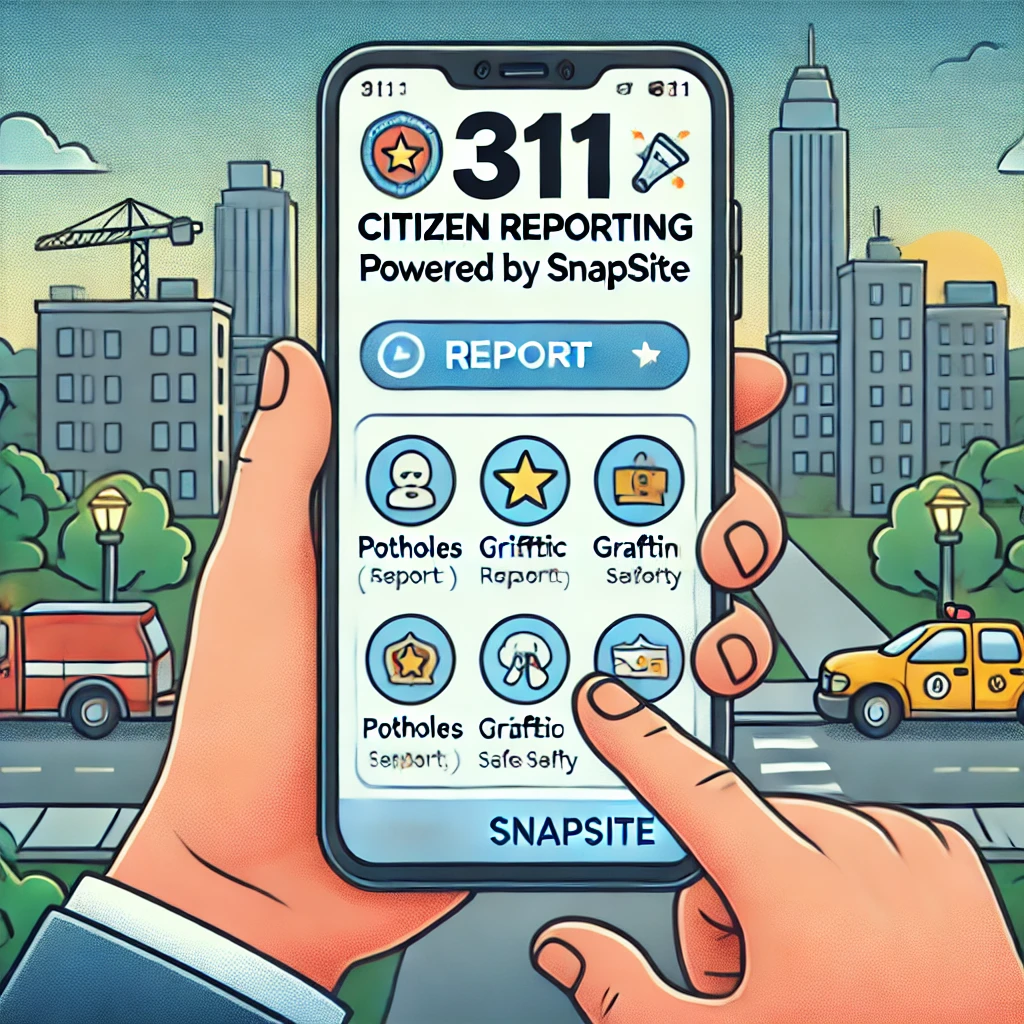
How 311 citizen reporting works, step by step
- A resident submits a report on the website, mobile app, or by text, choosing a category and location and adding a photo and description.
- The system routes the request to the right department based on category and location, and sends the resident a confirmation.
- Staff review and assign the request, add notes, and create a work order if needed.
- Crews complete the work and update the request from the field, often with a photo of the finished job.
- The resident is notified that the issue is resolved, closing the loop.
Managers can watch requests on a map, track response times against service goals, and spot trends by neighborhood or category. This turns 311 citizen reporting from a simple complaint form into an operations tool for public works and code enforcement.
Common request categories
Most communities start with a short list and add more over time. Popular categories include potholes and street damage, streetlight outages, missed trash or recycling pickup, water main breaks and leaks, sidewalk hazards, graffiti, abandoned vehicles, illegal dumping, overgrown grass and weeds, snow and ice problems, park and playground maintenance, and code violations. Keep category names in plain language so residents can choose quickly.
What to look for in a 311 citizen reporting system
- Easy reporting from any phone, with photos and map pins
- Automatic routing to the right department or staff member
- Status updates and notifications for residents
- A staff dashboard with maps, filters, and assignments
- Service level goals and response time tracking
- Work order support for field crews
- Reports and data exports for managers and elected officials
- Accessible design so every resident can submit a report
- Integration with your existing city website, not a separate portal
- Predictable pricing without per-request fees

Why 311 citizen reporting belongs on your website
Many 311 systems live on a separate vendor portal with a different look and a different address. Residents have to find it, figure it out, and trust that it is really connected to their city. When 311 citizen reporting lives directly on your city website, residents find it where they already look for local government information, it matches your branding, and it works alongside your news, alerts, and service pages. Smart311 by SnapSite is built as a WordPress plugin for exactly this reason.
Rolling out 311 citizen reporting in your community
- Pick your starting categories. Begin with the requests you get most often. You can add more later.
- Decide who handles what. Assign each category to a department and a backup person.
- Set realistic response goals. Residents appreciate honesty about how long common requests take.
- Train staff. A short session helps everyone feel comfortable reviewing, assigning, and closing requests.
- Tell residents. Promote the new system on your website, in utility bills, on social media, and at public meetings.
- Review the data. Check results monthly and adjust categories, routing, and staffing as you learn.
Accessibility and equity
311 citizen reporting should work for every resident, including people who use screen readers, residents with limited English, and people without smartphones. Accessible forms, clear language, and multiple ways to report, such as web, text, and phone, help ensure that services reach every neighborhood, not just the residents most comfortable with technology. Reviewing request data by neighborhood can also reveal areas that may be underreporting problems.

311 citizen reporting for small communities
You do not need a big-city budget to offer modern 311 citizen reporting. Villages, townships, and small cities often benefit the most, because a small staff cannot afford to lose track of requests or spend hours returning calls. A simple, well-organized system lets a public works director see every open request on one screen, assign work in seconds, and show residents and elected officials exactly what has been done.
For small communities, look for a 311 citizen reporting tool that is quick to set up, easy for part-time staff to learn, and priced without per-request fees, so a busy spring pothole season does not turn into a surprise bill.
Measuring success
Once your system is running, track a few simple numbers: how many requests arrive each month, how quickly they are acknowledged, how long they take to close, and which categories and neighborhoods generate the most reports. Share highlights with your board or council and with residents. Publicly reporting results, such as the number of potholes filled each season, shows residents that their reports make a difference and encourages more people to use 311 citizen reporting.
Connecting 311 with your civic app and alerts
311 citizen reporting works best as part of a complete digital service experience. Residents who download your civic app can submit reports, receive alerts, read news, and find meeting information in one place. When the same platform powers your website, app, and notifications, information stays consistent and staff only have to update it once. SnapSite connects Smart311 with My Civic App and resident notifications for exactly this reason.
Ready to see how it would work in your community? Request a demo, and we will walk you through Smart311 using real examples from cities, villages, and townships like yours, then help you plan your launch.
Frequently Asked Questions
What is 311 citizen reporting?
311 citizen reporting lets residents report non-emergency problems, like potholes, streetlights, and code violations, and lets local government staff track each request to resolution.
Does Smart311 work with our existing website?
Yes. Smart311 is a WordPress plugin that runs on your city’s website. If your site is not on WordPress, our municipal website design team can build one with Smart311 included.
Can residents report by text message?
Yes. Residents can report by web form, installable app, or SMS. Text reports create tickets automatically and send status updates back to the resident.
Are there per-request or per-resident fees?
No. Smart311 uses flat licensing, so your cost stays predictable no matter how many requests residents submit.
Who owns the data?
You do. All requests, photos, and records stay in your WordPress database on your server.
How long does setup take?
Most cities can activate, configure, and go live with Smart311 311 citizen reporting in an afternoon using the guided setup wizard.
What is the difference between 311 and 911?
911 is for emergencies that threaten life or property and need police, fire, or medical response right away. 311 citizen reporting is for non-emergency issues such as potholes, streetlights, missed trash pickup, and code concerns.
Can residents report issues without downloading an app?
Yes. Residents can submit 311 citizen reporting requests directly on your city website from any phone or computer. The app and text options are there for residents who prefer them.
How long does it take to launch 311 citizen reporting?
Most communities can launch Smart311 quickly once categories and departments are decided. We help set up categories, routing, and staff accounts, and train your team so you are ready to announce the new service to residents.
Can residents track the status of their 311 reports?
Yes. Residents receive a confirmation when they submit a report and updates as staff review, assign, and resolve it. This transparency is one of the biggest benefits of 311 citizen reporting, because residents can see that their concerns are being handled.
Is Smart311 accessible to residents with disabilities?
Yes. The reporting forms are designed to work with screen readers and keyboards, use clear labels and readable contrast, and offer multiple ways to report, so every resident can use 311 citizen reporting in your community.
Can staff use Smart311 from the field?
Yes. Crews can view assigned requests, see the location on a map, add notes and photos, and close requests from a phone or tablet, so the office and the field always have the same information.
Are there per-request fees?
No. Smart311 is priced without per-request fees, so a busy season of 311 citizen reporting never turns into a surprise bill.
More Tools for Local Government
Municipal Website Design
ADA-compliant websites for cities, townships, and counties.
Agenda and Minutes Manager
Post agendas, packets, and minutes in a searchable archive.
FOIA Request Manager
Accept and track public records requests online.
Ready to Modernize Your 311?
See Smart311 running with live demo data, or talk with us about deploying it on your city’s website.